
How to Organize Your 4th of July Memories
How to organize 4th of July Memories
Did you take 4th of July photos of videos this year?
Maybe you captured fireworks, family, lake time, parades, cookouts, kids running around, or one of those simple summer moments that just feels worth remembering.
Now comes the part most people skip: organizing those photos so you can actually find them later.
One simple way I like to organize holiday memories in FOREVER is by creating one main Holidays album, then nesting individual holiday albums underneath it.
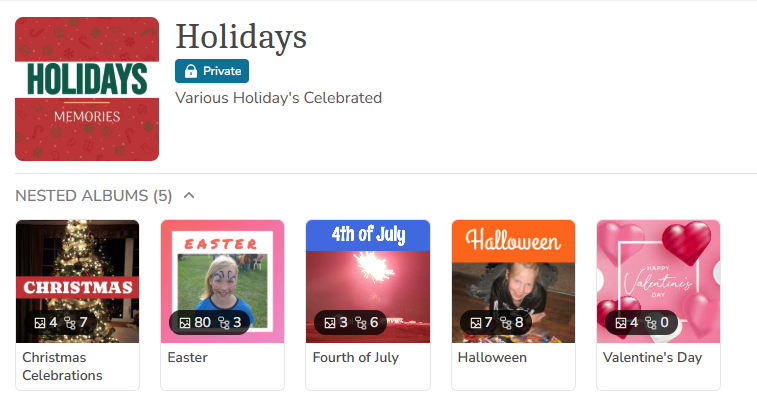
Step 1: Create a Top-Level Album
To create the above organization in your FOREVER permanent storage account, start by creating a main album and name it:
Holidays
This will become the main home for your holiday memories.
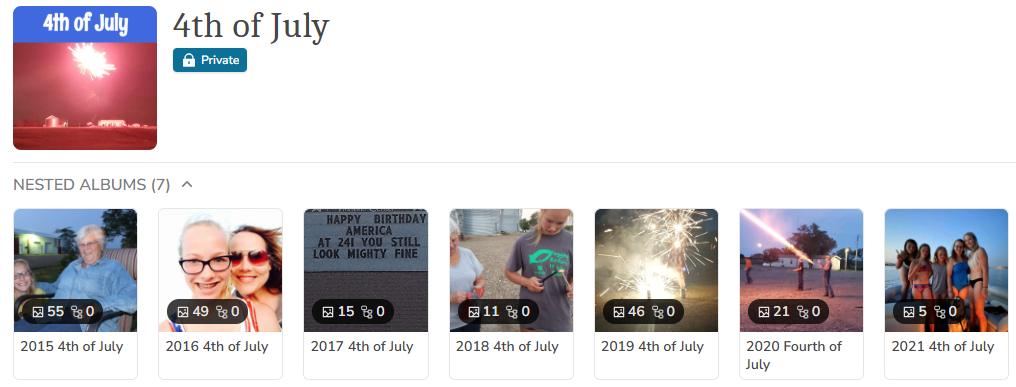
Step 2: Create a Nested Album for the 4th of July
Inside your main Holidays album, create a nested album for Fourth of July or 4th of July 😜.
You can stop at this step and keep all of your Fourth of July memories together in one album, or you can continue organizing by creating nested albums inside Fourth of July for each year.
For example:
2026 Fourth of July
Starting with the year helps keep your albums in date order, which makes them easier to find and browse later.
You can use this same idea for other holidays too, like Christmas, Easter, Halloween, Valentine’s Day, Thanksgiving, birthdays, anniversaries, and more.
Step 3: Use Filters to Find Your 4th of July Photos
Next, go to your FOREVER Gallery and use the filters to help locate the photos you want.
For my 4th of July memories, I like to search by date range.
For example, I may search:
July 1 through July 6
Then I select the specific year I want to organize.
This is much easier than scrolling through thousands of photos hoping to spot the ones from that holiday weekend.
Step 4: Add the Photos to Your Album
Once you find the photos you want, select them.
Then click:
Organize
Add to Album
From there, you can choose the album you already created, or at the top, choose New Album to create one right then.
This is where that year-first naming system is so helpful.
For example:
2026 Fourth of July
Clean. Simple. Easy to find later.
Step 5: Heart Your Favorites
One last tip: don’t forget to heart your favorite photos from 2026!
Adding a heart to your favorite memories makes it easier to find the best photos later for photo books, gifts, slideshows, wall art, or sharing with family.
Because let’s be honest — not every sparkler photo needs to make the photo book. 😉
Why This Works
Having all of my holiday memories together feels so good.
Instead of wondering where those photos went, I can open my Holidays album and find exactly what I am looking for.
Fourth of July memories. Christmas memories. Easter memories. Halloween memories.
All together. All organized. All preserved.
And that is the whole point — not just saving photos, but making sure my family can enjoy them for years to come.
Need help setting up albums like this in your FOREVER account? I’d be happy to help.
Create Your Legacy. Preserve it in FOREVER.


